
Meta ads
Facebook ads not working in Nepal? Find out if it is the ad or what comes after
When Facebook and Instagram ads stop bringing sales, the ad is not always the problem. Here is a step-by-step check Nepali businesses can use to find the real leak before spending more.
Dyangai ·
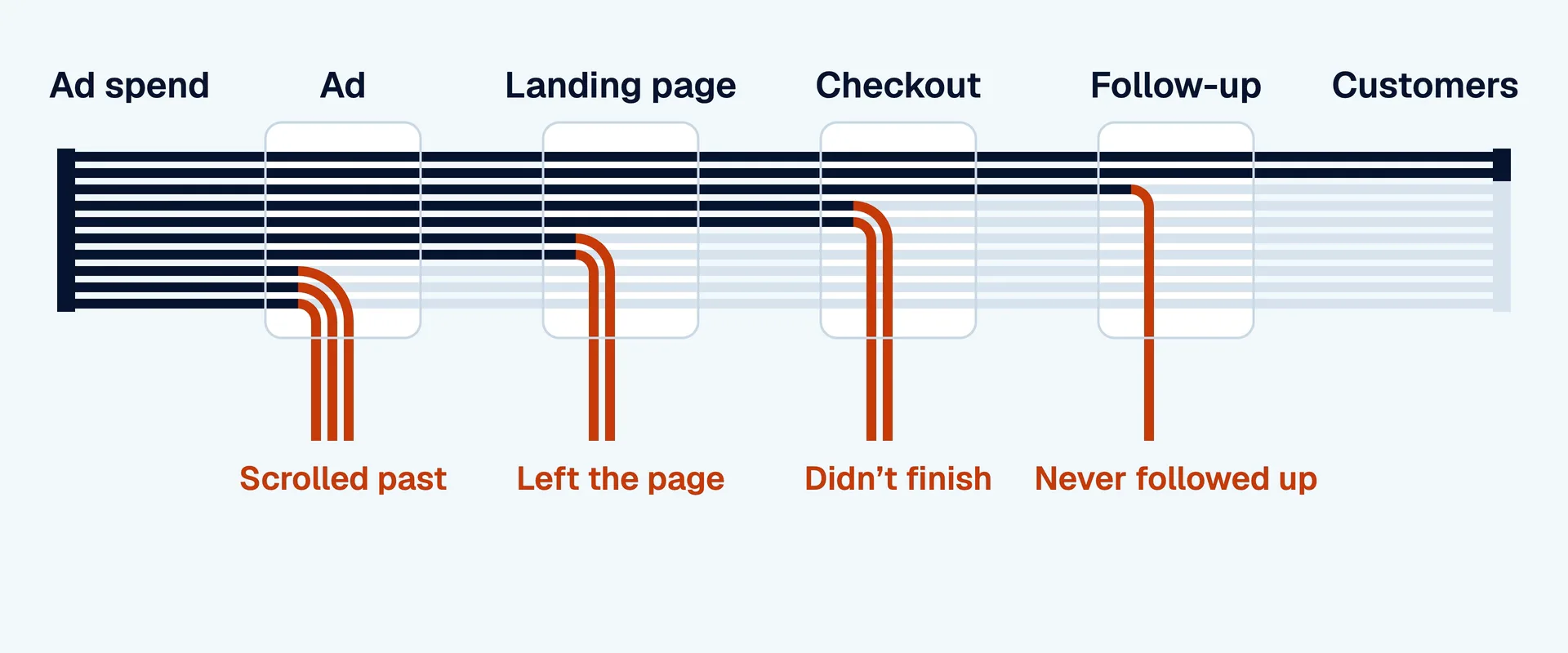
When Facebook and Instagram ads stop working, the usual reaction is to blame the ad, make a new one and spend a bit more. Sometimes that is right. Often the ad was fine and the sale was lost somewhere after it: in a slow reply, a confusing offer or a website that does not load on mobile data. This guide gives Nepali businesses a simple way to find where the leak really is before spending more.
Think of it as a chain
Every sale from an ad passes through the same chain: someone sees the ad, stops and watches, clicks or sends a message, gets a reply or sees your page, and decides to buy. A weak result means one link in that chain is weak. The trick is to check each link separately instead of looking only at the final cost per sale.
Write down the numbers for the last 30 days: how many people saw the ads, how many clicked or messaged, how many became real enquiries and how many bought.
Check 1: is the ad stopping people?
In Ads Manager, look at how many people watch the first few seconds of your videos and how often they click or message, compared with your own earlier ads. If people scroll straight past, the ad has a creative problem. The opening is the usual culprit: if the first second does not show the product, the problem or the offer, most people never see the rest.
Also check how long the same ads have been running. If the same people have seen an ad many times, results fall. That is ad fatigue, and the fix is new ads, not more budget.
Check 2: is the click or message turning into a conversation?
If you sell by chat, compare the number of messages Ads Manager reports with the number your team actually answered. If you sell on a website, compare clicks with visits in your analytics. A big gap points to slow replies, a broken link, or a page that takes too long to load on mobile data. Open the ad on your own phone, away from office Wi-Fi, and see what a customer sees.
Check 3: does what they see match the ad?
Put the ad next to what comes after it. If the ad promised a price, a discount or free delivery, does the reply or page say the same thing straight away? If the ad shows one product and the page opens on your homepage, people get lost. Mismatches like this quietly kill good ads.
Check 4: is the offer strong enough?
Sometimes everything works and people still do not buy, because the offer is not right for the moment. Look at what your competitors offer, at the questions people keep asking in messages, and at what makes buyers hesitate: delivery time, cash on delivery, sizes, warranty or trust. An offer that answers those worries up front often does more than a new ad.
Check 5: are you following up?
Most buyers do not decide on the first message. If your team replies once and never again, many sales are lost. Count how many enquiries got a second message. If the answer is few, follow-up is the cheapest fix you have.
Check 6: is tracking telling the truth?
If you sell on a website, make sure the Meta pixel is installed and records purchases or form submissions. If you sell by chat, keep a simple record of which enquiries became sales and which ad they came from. Without this, Meta cannot find more people like your buyers, and you cannot tell which ads deserve more money.
Fix one link at a time
Once you have found the weakest link, fix that one first and leave the rest alone for a week, so you can see whether it worked. Changing the ad, the offer, the page and the budget all at once makes it impossible to learn anything.
What to do next
Take your last month's numbers and find the step where the biggest drop happens. That is where to start. If the problem is the ads themselves, read about our AI video ads. If it is what happens after the message, read about our lead management. And if you want one team to handle both, see our packages.
WhatsApp us